Feature: Agent Selection
Overview
Clario’s agent system is built on an agentic architecture that lets specialized AI agents collaborate intelligently.
Each agent in Clario is designed for a specific domain or workflow, making your workspace truly versatile and context-aware.
The General Agent acts as the central orchestrator. It can handle a wide range of requests on its own or delegate specific tasks to specialized agents like Data Analyst, Business Analyst, Quant, or Plotter.
You can also call agents directly using / commands to maintain full control over your workflow.
This hybrid system of auto-delegation and manual access makes Clario both powerful and effortless to use.
Agent List
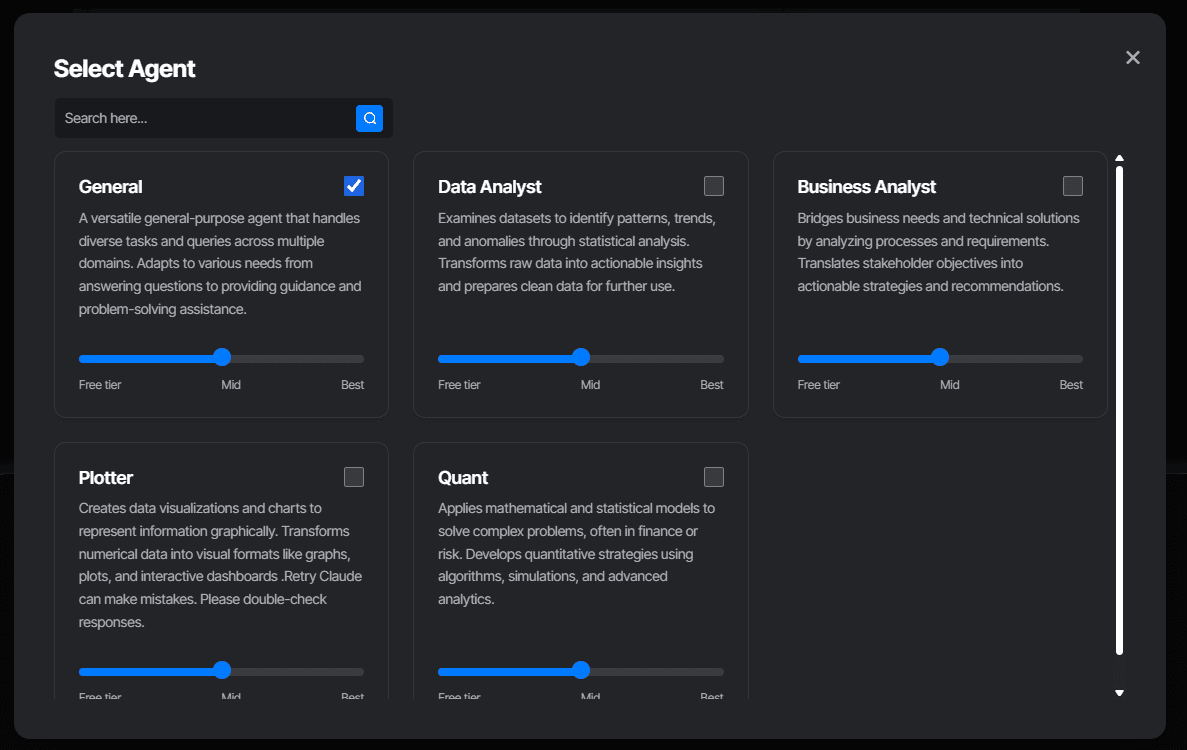
General Agent
The default and most powerful agent in Clario.
Handles general queries, conversations, and file-based questions
Performs web searches and deep research (coming soon)
Executes business and data analysis tasks by delegating to other agents
Can run Python-based computations through the Data Analyst Agent & Quant Agent
Accesses the Plotter Agent for visualization tasks
General has access to all agents, allowing you to work across multiple domains seamlessly.
Business Analyst Agent
Best for structured and descriptive insights.
Handles easy, queryable tasks
Uses SQL-based reasoning for quick summaries
Ideal for reports, business overviews, and structured data exploration
Data Analyst Agent
Built for technical and deep analytical reasoning.
Runs Python code for data manipulation, computation, and analysis
Handles both simple and complex data workflows
Generates insights, results, and artifacts from uploaded datasets
Quant Agent
Specialized for financial and quantitative analysis.
Calculates returns, volatility, and risk metrics
Performs time-series and performance evaluation
Ideal for traders, analysts, and finance researchers
Plotter Agent
The visualization expert inside Clario.
Generates interactive Plotly charts directly inside the chat
Allows exporting graphs as PNGs
Dashboard creation feature coming soon
Use Plotter to transform numerical results into clear, visual insights.
Agent Invocation
You can call any agent manually or let the General Agent delegate automatically.
Manual Invocation
Use the / command in the chat input to summon agents directly. For example:
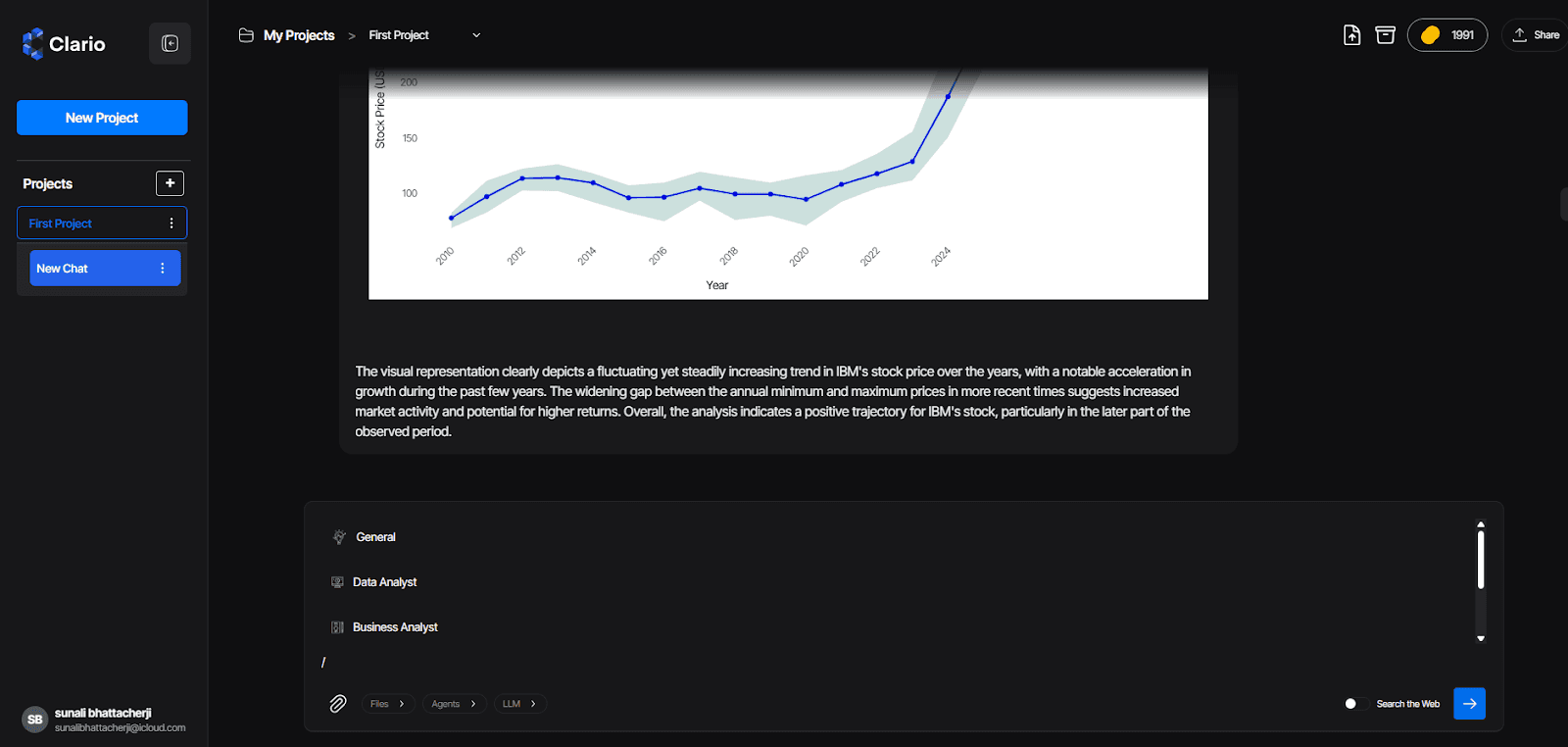
When you type /, Clario displays a list of available agents for quick selection.
Auto Invocation
If you interact through the General Agent, it automatically detects the type of query and routes the task to the right agent.
For example, asking "Analyze stock performance for IBM" will automatically trigger the Quant Agent.
Agent Tiers
Each agent operates under three performance tiers.
Tier | Description |
Free | Fast, lightweight responses for quick tasks |
Balanced | Best balance of speed and reasoning quality |
Best | Deep reasoning and advanced analysis with the highest accuracy |
Higher tiers take more time and credits but deliver significantly improved quality and insight depth.
You can switch tiers based on your task needs and credit balance.
Coming Soon
Clario’s agent library is constantly expanding. Upcoming agents include:
Research Agent for in-depth topic exploration
Coding Agent for development and debugging support
Finance Agent for advanced portfolio and market analytics
Summary
Clario’s Agent Selection system is what makes the platform truly agentic and versatile.
With both automatic delegation and direct control, you can switch seamlessly between research, analysis, visualization, and quantitative workflows — all inside a single workspace.
Whether you prefer hands-off intelligence or precise control, Clario’s agents adapt to how you work.